# Priority
### **Add Priority**
**How to add the Priority ?**
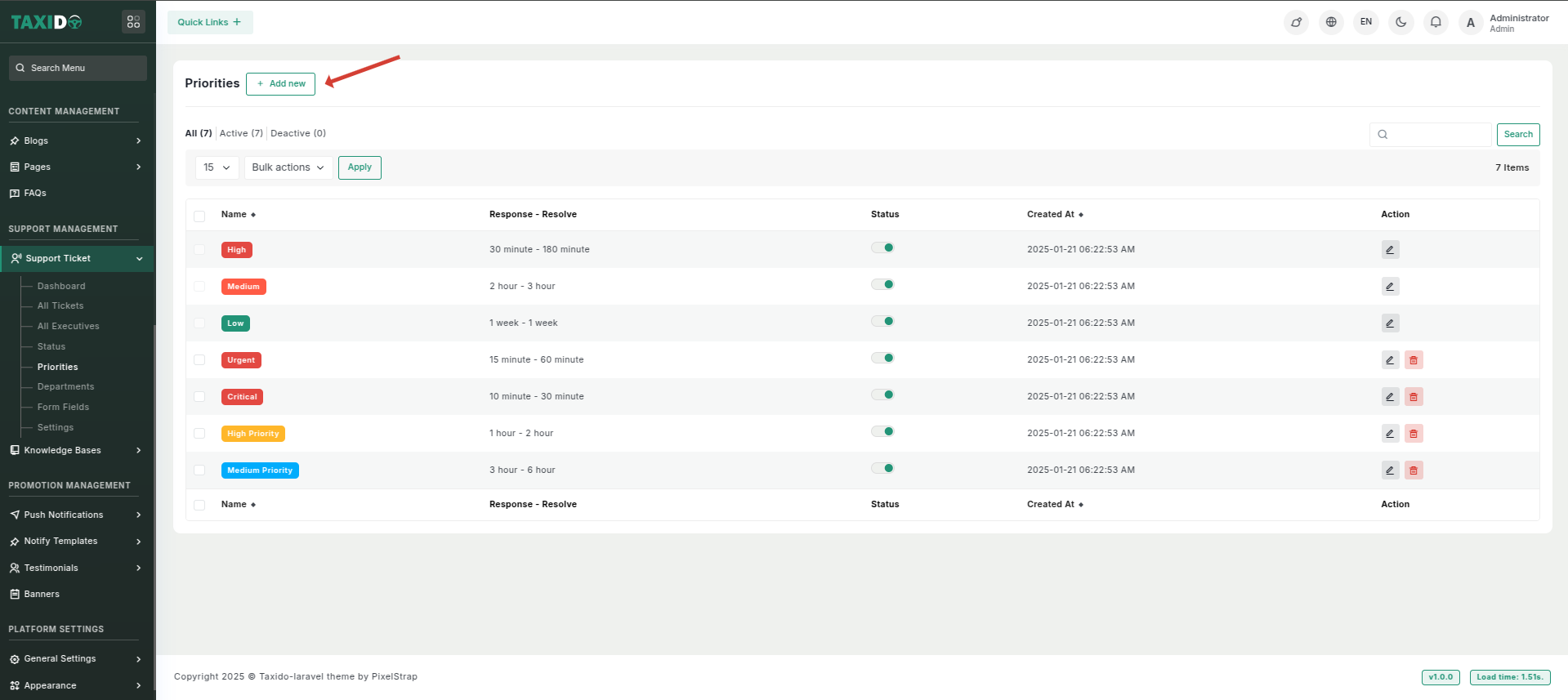
1. Navigate to the "Support Management" section.
2. Click on the "Priorities".
3. Click on "Add New" for creating a priority
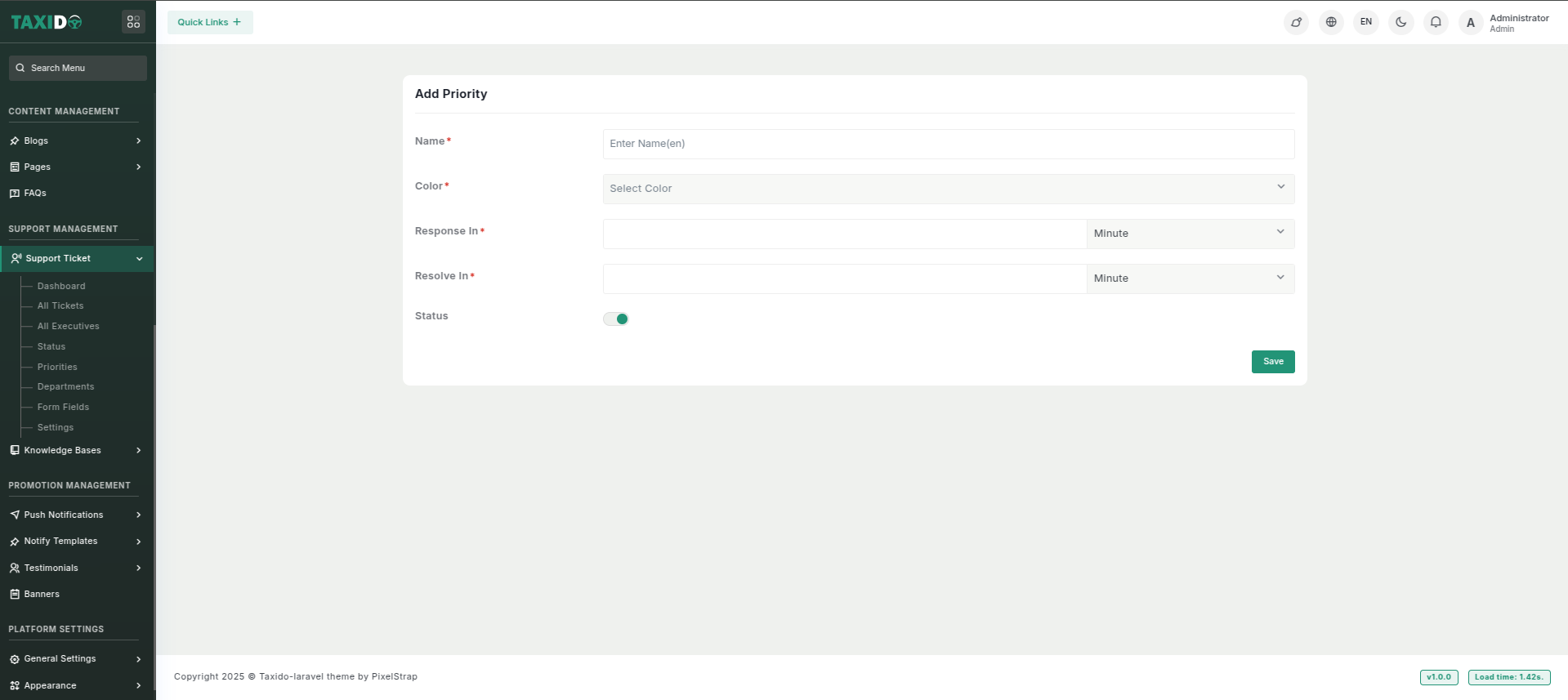
4. Fill out the details, which may include:
* **Name:** Enter the name of the department.
* **Color:** Select the color which will be used in identifying.
* **Response In:** Set the time according minutes, hours, day, week will be taken.
* **Resolve In:** Set the time according minutes, hours, day, week will be taken.
* **Status:** Set the status to either "Active" or "Inactive." If the status is "Active," this priority is available in ticket creation. If "Inactive," it will not be available for use.
**How to edit the Priority ?**
1. Go to the Priorities.
2. Find the priority you want to edit and click the Edit button from the Action Column.
3. Make your changes and click on the "Save" button.