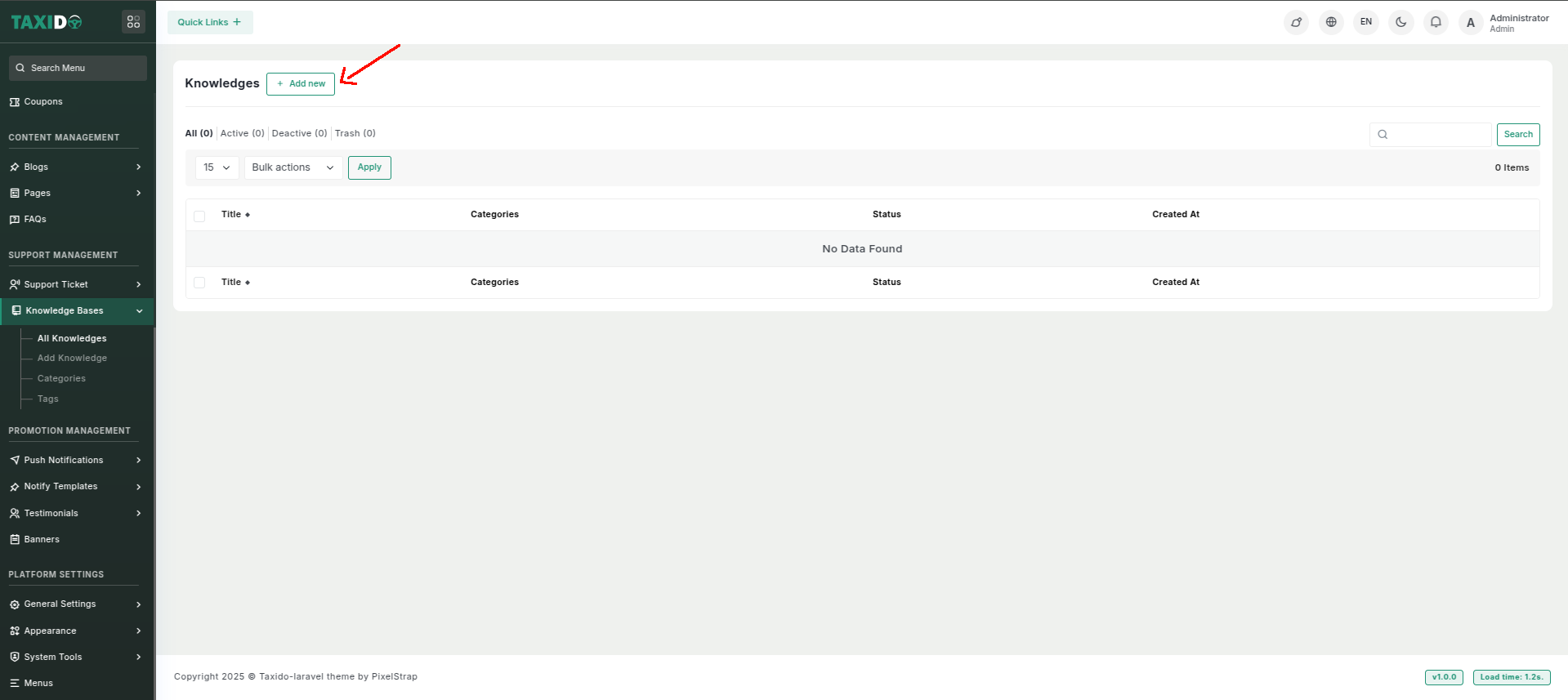
# Knowledge Bases
**Add Knowledge Base**
**How to add the Knowledge Base ?**
1. Navigate to the "Support Management" section.
2. Click on the "Add Knowledge" or a similar button within the Support Management section.
3. Fill out the details, which may include:
* **Title:** Enter the title of the knowledge.
* **Description:** Here, you can provide a short description of your knowledge.
* **Content:** Here, you can provide a detailed description of your knowledge.
* **Categories:** Select the knowledge categories if you want to [Add Categories](https://docs.pixelstrap.net/laravel/taxido/support-ticket-knowledge-categories.html).
* **Tags:** Select the knowledge tags if you want to [Add Tags](https://docs.pixelstrap.net/laravel/taxido/support-ticket-knowledge-tags.html).
* **Thumbnail:** Upload an image representing the knowledge. This image will be used in the system to visually identify the knowledge.
* **Meta Title:** Sets the meta title for the page, which appears as the title in search engine results, helping with SEO and user engagement.
* **Meta Description:** Defines the meta description for the page, which is shown in search engine results and can influence click-through rates.
* **Status:** Set the status to either "Active" or "Inactive." If the status is "Active," this department is available storing ticket department wise. If "Inactive," it will not be available for use.
**How to edit the Knowledge ?**
1. Go to the All Knowledge.
2. Find the knowledge you want to edit and click the Edit button from the Action Column.
3. Make your changes and click on the "Save" button.