# Languages
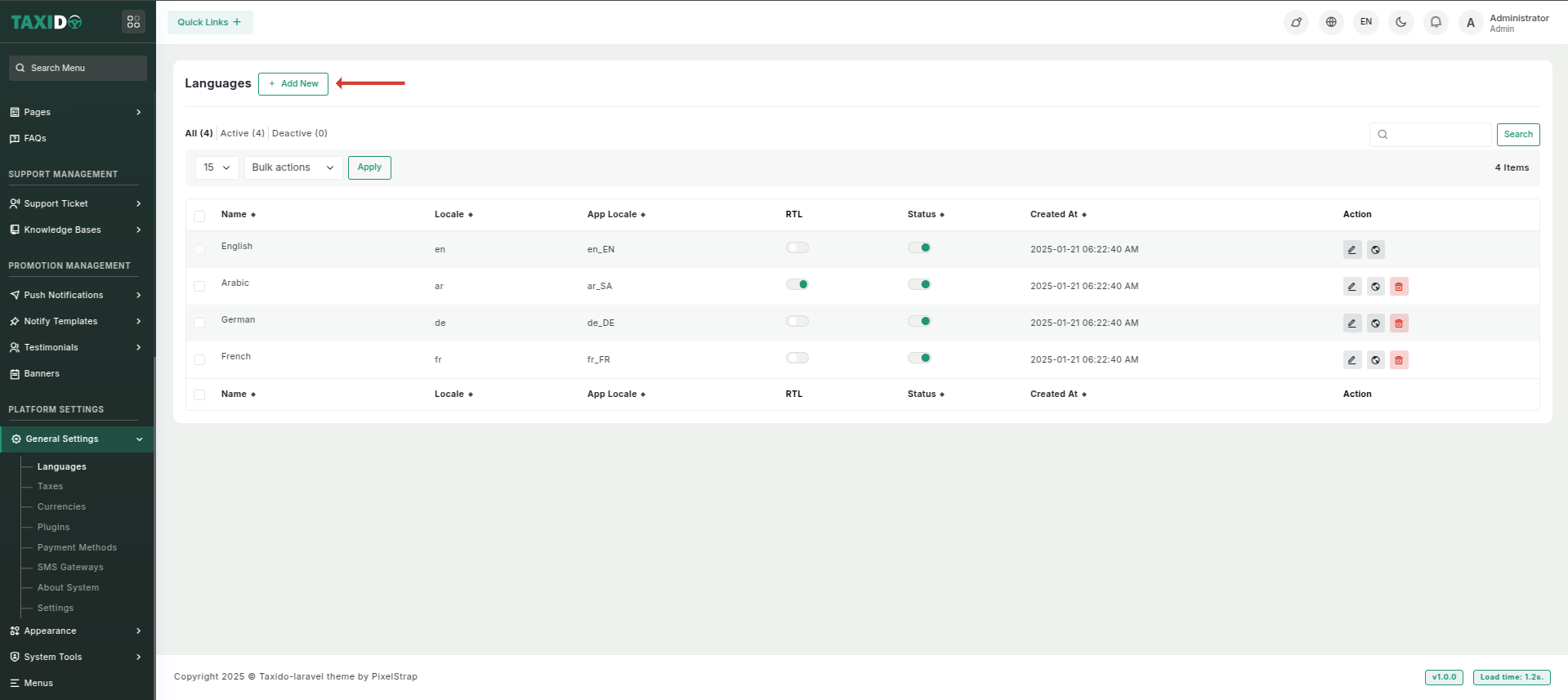
**The Languages Tab fields in Setting Management include the following options, allowing detailed customization of the languages section of your application:**
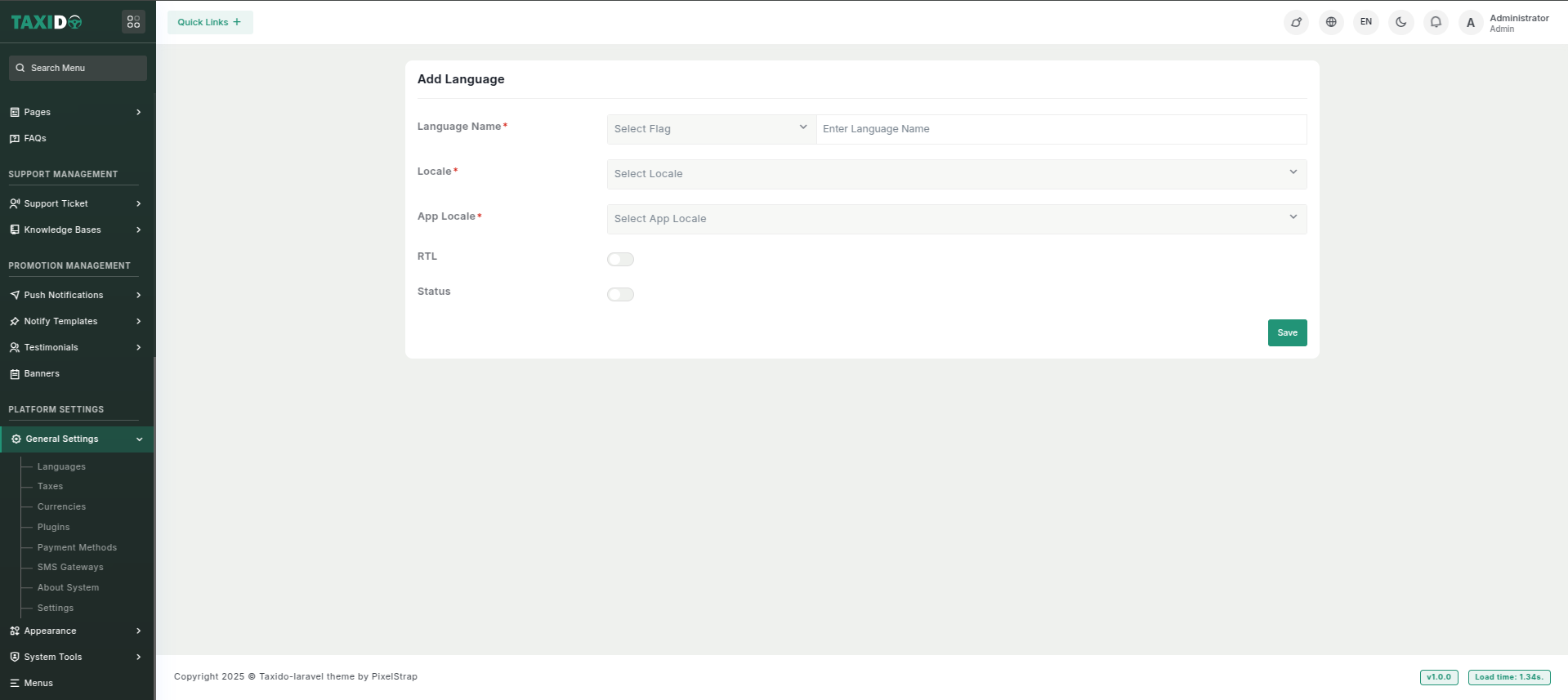
**Add New:** The Add New button enables adding new languages to the website, enhancing localization and accessibility for users by expanding the available language options.
* **Language Name:** The name of the language (e.g., "French", "Spanish").
* **Locale:** A code representing the language and region (e.g., "en\_US", "fr\_FR").
* **App Locale:** The locale for managing app language settings (e.g., "en", "fr").
* **RTL (Right to Left):** Indicates if the language is written right to left (e.g., Arabic, Hebrew).
* **Status:** Toggle this option to activate or deactivate the language. If enabled, the language will be active in the system; if disabled, it will not be applied.
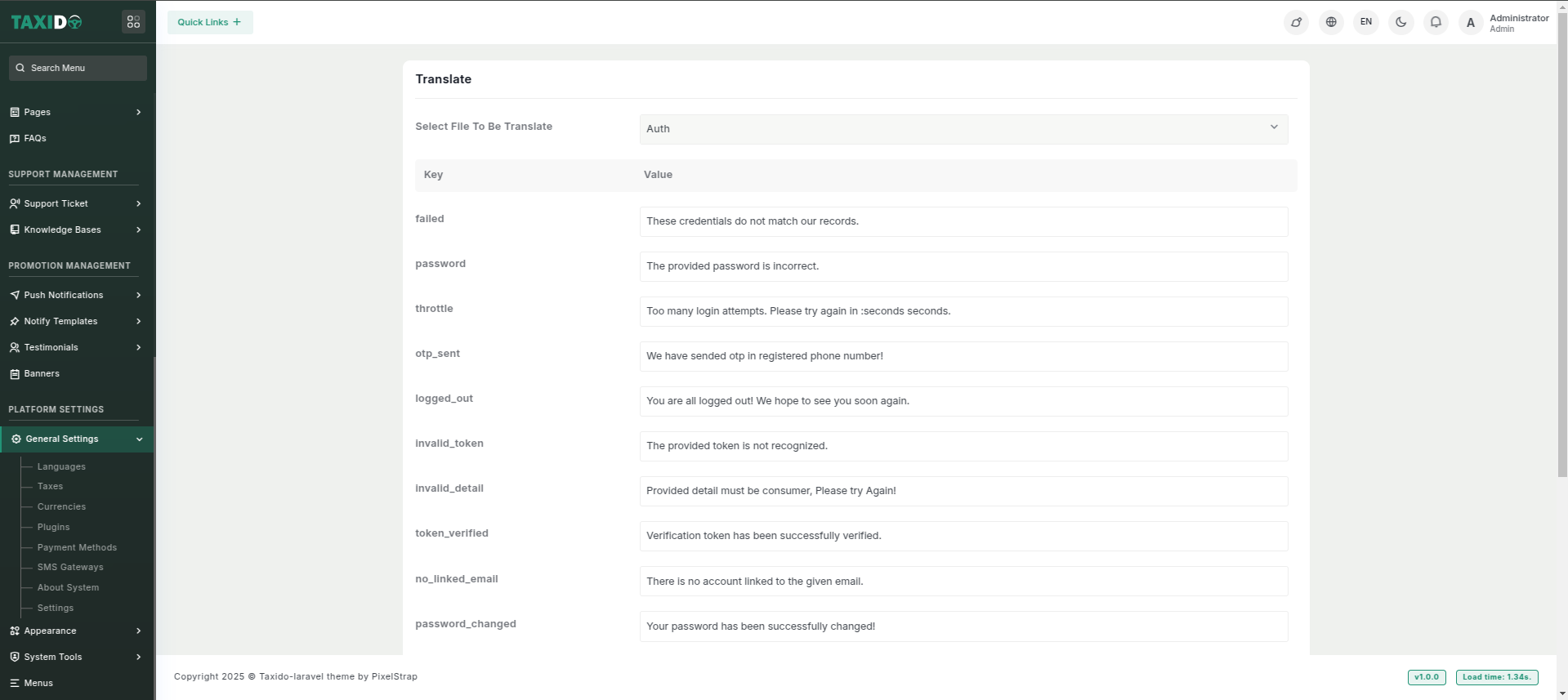
#### Edit Translations for a language
* **Select the File:** Choose the language file (e.g., "Auth") from the dropdown menu.
* **Edit the Words:** Find the key you want to modify and update the corresponding value with the desired translation or text.
* **Save Changes:** After editing, save the file to apply the updated translations.