# Stripe
### **Stripe Payment Gateway**
**Create a Stripe Account:**
1. If you don't already have a Stripe account, go to [Stripe's website](https://stripe.com/in) and sign up for an account.
2. You'll need to provide some basic information about your business.
**Log in to Your Stripe Dashboard:**
1. Once you have your Stripe account, log in to your Stripe dashboard.
**Access Your API Keys:**
1. In your Stripe dashboard, navigate to the "Developers" section.
2. You can usually find this by clicking on your account name or logo in the upper-right corner of the dashboard and selecting "Developers" or "API keys."
**Get Your Secret Key:**
* In the "API keys" section, you'll see two types of keys: "Publishable key" and "Secret key."
* "You need the "Secret key" to make server-side API requests and securely handle payment processing.
* Click on the "Reveal live key token" button next to the "Secret key" to display your key.
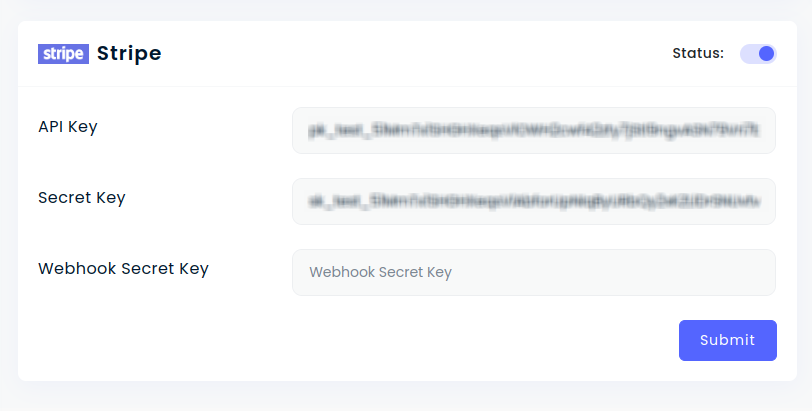
* Copy and past key and secret.
* Status: This field determines whether the Strip payment option will be visible to customers on the frontend checkout page.
* Key:
* Secret: For security reasons, never expose your Secret Id on the front-end. Store it securely on your server-side code to interact with Strip's APIs.