# Firebase Rules
\ **Firebase Rules:**
------------------------------------------------------------------------------------------------------------------------------------------
{% hint style="info" %} :bullhorn: NOTE :Before launching the app, ensure you have correctly set up the ADMIN LARAVEL and have added all necessary data through the admin panel.
{% endhint %}
{% hint style="info" %}
NOTE : For Firebase Social Login, you need to enable billing on your Firebase account, as it is required.
{% endhint %}
For save data in Firebase storage and upload file,images,videos etc need to give permission
### **For store data in Firestore Database :**
1. On left hand side panel,go to build, select Firestore database.
2. Click on Create Database.
3. Then select mode wheather for live or debug mode need to use
4. Now click Rules tab
5. Change condition by true
6. After doing true click on publish button so that you can access database.
### **>For store Images, Videos, Audios, etc.:**
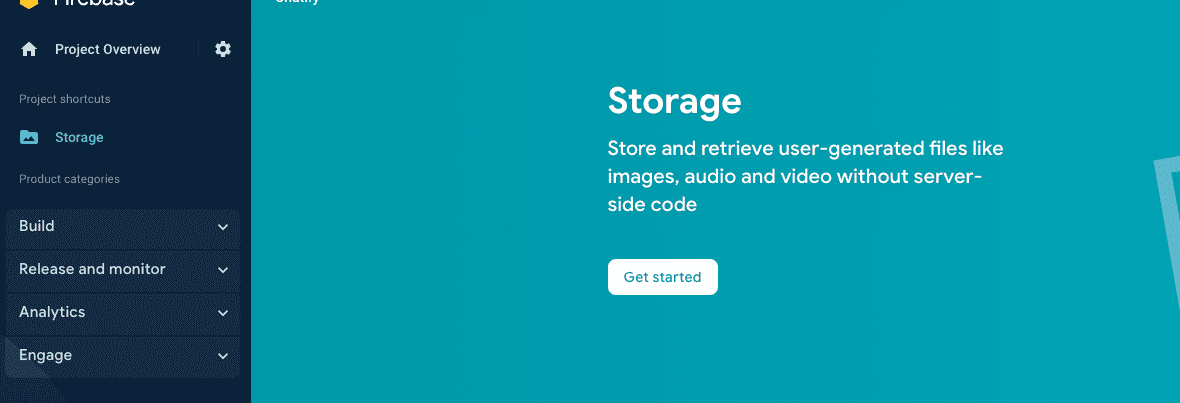
1. On left hand side panel,go to build, select Storage.
2. Click on Get started.
3. Then select mode wheather for live or debug mode need to use
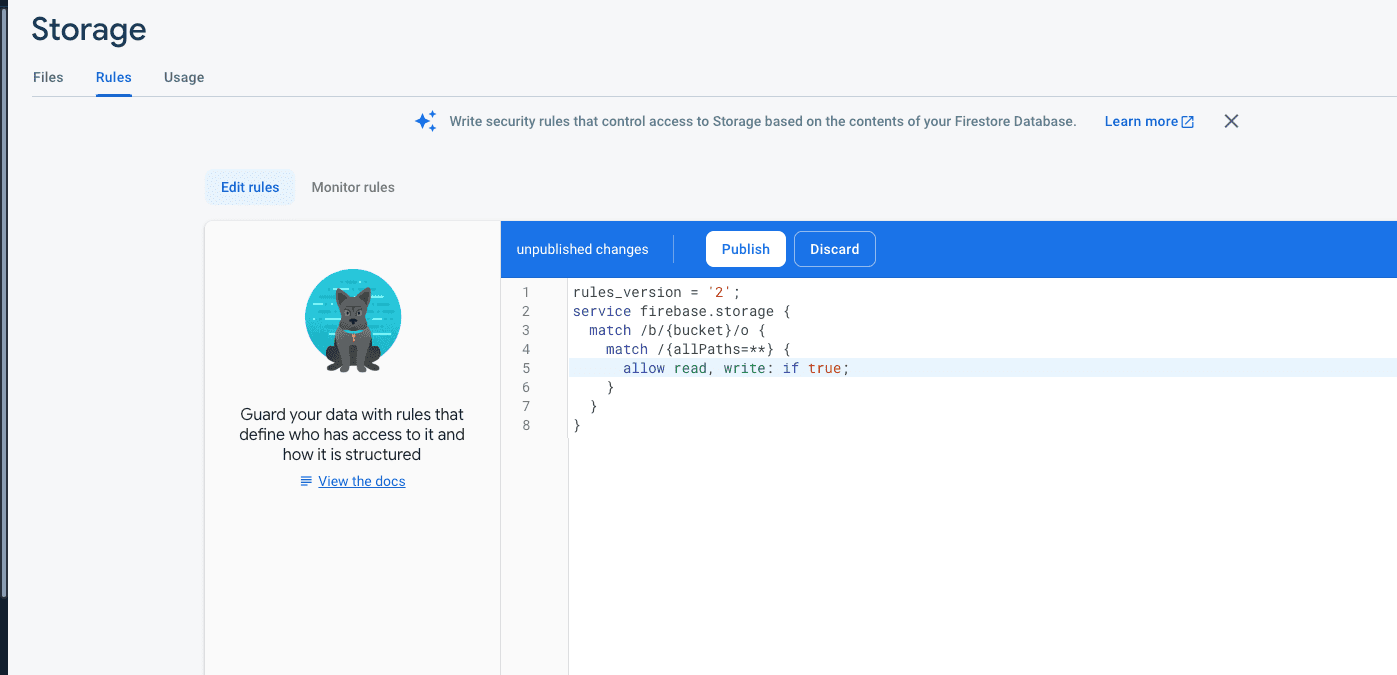
4. Now click Rules tab
5. Change condition by true
6. After doing true click on publish button so that you can access database.\
{% hint style="info" %}
Now go to the Firebase SHA key: [SHA Key](https://docs.pixelstrap.net/laravel/taxido/firebase-rules.html).
{% endhint %}
\
\
 **Firebase Rules:**
------------------------------------------------------------------------------------------------------------------------------------------
{% hint style="info" %} :bullhorn: NOTE :Before launching the app, ensure you have correctly set up the ADMIN LARAVEL and have added all necessary data through the admin panel.
{% endhint %}
{% hint style="info" %}
NOTE : For Firebase Social Login, you need to enable billing on your Firebase account, as it is required.
{% endhint %}
For save data in Firebase storage and upload file,images,videos etc need to give permission
### **For store data in Firestore Database :**
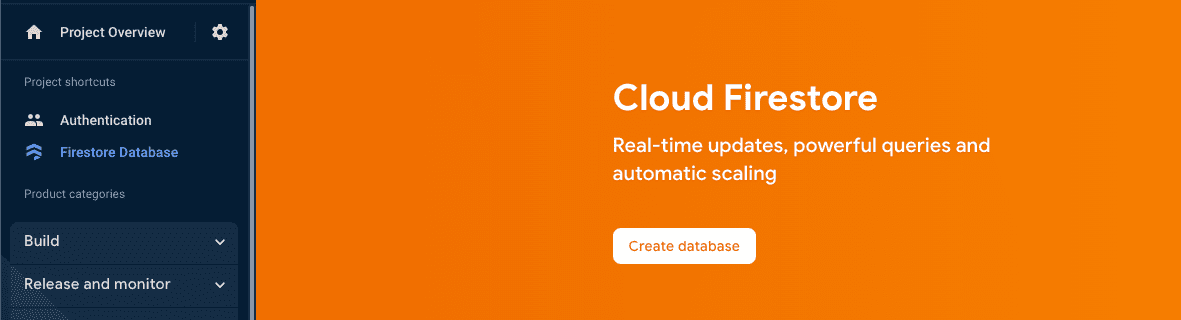
1. On left hand side panel,go to build, select Firestore database.
2. Click on Create Database.
**Firebase Rules:**
------------------------------------------------------------------------------------------------------------------------------------------
{% hint style="info" %} :bullhorn: NOTE :Before launching the app, ensure you have correctly set up the ADMIN LARAVEL and have added all necessary data through the admin panel.
{% endhint %}
{% hint style="info" %}
NOTE : For Firebase Social Login, you need to enable billing on your Firebase account, as it is required.
{% endhint %}
For save data in Firebase storage and upload file,images,videos etc need to give permission
### **For store data in Firestore Database :**
1. On left hand side panel,go to build, select Firestore database.
2. Click on Create Database.