# Create Coupon

## ![](https://docs.pixelstrap.net/laravel/taxido/assets/images/icons/dart.png) **Create Coupon**

1. Go to the left-hand menu after logging into the admin panel to view the Coupons section. Click "Coupons" under "Cab Management" to create or manage coupons for your taxi services.<br>

2. Click the "Apply" button in the service package list.<br>

   <figure><img src="https://74030740-files.gitbook.io/~/files/v0/b/gitbook-x-prod.appspot.com/o/spaces%2F6o4UzjBZtMQpeq4oeh8s%2Fuploads%2F3dtpribCrFRSg84NqT8r%2Fimage.png?alt=media&#x26;token=5be5cc78-ccac-4c0f-9215-a8e1a1aa5be0" alt=""><figcaption></figcaption></figure>

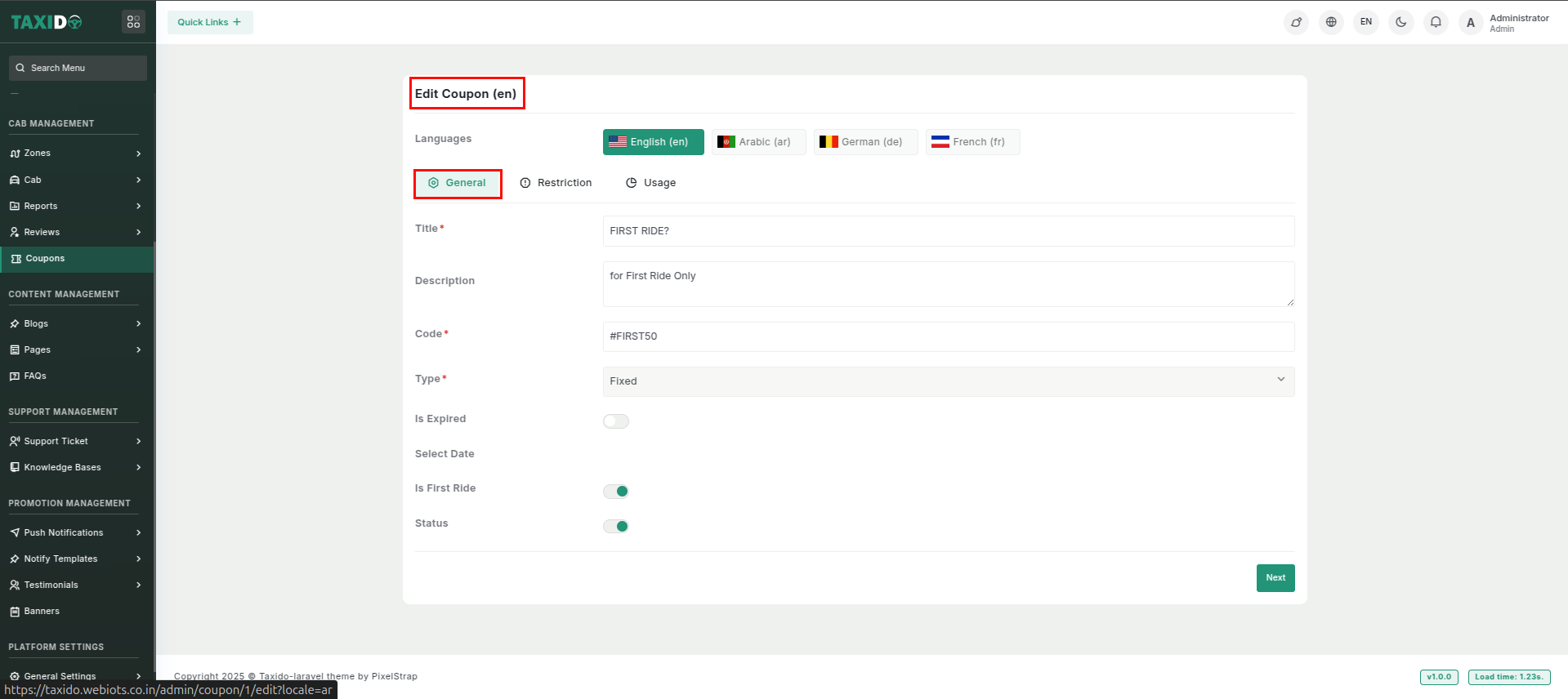
3. Click on the coupon in the admin panel to make changes. Once chosen, you will be able to change the coupon's general settings, restrictions, and usage limits, among other information.<br>

   <figure><img src="https://docs.pixelstrap.net/laravel/taxido/assets/app/screenshot/cupon3.png" alt=""><figcaption></figcaption></figure>

   <figure><img src="https://docs.pixelstrap.net/laravel/taxido/assets/app/screenshot/coupon2.png" alt=""><figcaption></figcaption></figure>

   <figure><img src="https://docs.pixelstrap.net/laravel/taxido/assets/app/screenshot/coupon1.png" alt=""><figcaption></figcaption></figure>

4. For The App \
   \
   ![](https://74030740-files.gitbook.io/~/files/v0/b/gitbook-x-prod.appspot.com/o/spaces%2F6o4UzjBZtMQpeq4oeh8s%2Fuploads%2Fz5aUugzsgRxtfuldObb3%2Fimage.png?alt=media\&token=8104b90f-3724-41a6-ae93-b4f8415fdf44)